☰ Contents Page 3 of 27 · Your classes
Prices
From the organiser's Help guide. This is the page an organiser reads inside their own admin, exactly as they see it. On the demo you can read it but not open the admin behind it.
At the bottom of any event, under Price options
A price is just a name you choose and an amount in pounds.
Type 45 for £45. Name them whatever you
like: Thriving, Striving, Surviving.
Each price is a card. Its first line has the name, the amount and the Drop-in? and Early-bird? ticks. Tick Early-bird? and its On sale until date appears beside it. Everything else (pay what you can, hidden, room, the order they're listed in) is under More options on the card. How many places one person may book is set on the event, not the price: see Places per booking. (Most per booking on this price, under More options, only ever tightens that for one price — 1 on a “first class free” price, say.) The ticks are separate questions, so a price can be more than one at once:
| Early-bird? | A cheaper price with a deadline. While any early-bird is running it replaces your full prices, so dancers see one set at a time. Set On sale until; leave the time blank and it runs to 23:59 that day, so they get the whole day. |
|---|---|
| On sale until | The last day anyone can choose this price. On an early-bird it's the deadline. On any other price it simply takes it off sale from then on — the way to close a full-course price once a course is under way (see Courses over several dates). Leave blank for “no end”. |
| Drop-in? | For a course you also sell by the single date. Drop-in prices are charged per date and sit behind a “Drop-in” tab, so the full-course price stays the headline. |
| Pay what you can | They choose the amount; your price becomes the minimum. Fill in Suggested £ to nudge them towards an amount. |
| Hidden? | An off-menu place — a volunteer, or a special arrangement. Never shown on the website. See below. |
To run an early-bird across all three tiers, make six rows: one per tier with Early-bird? ticked and a deadline, and one per tier without. Mention your full prices in the event description if you want people to see what they'll rise to — the price list only ever shows what they'd pay today.
- Name — whatever you call this tier: Thriving, Striving, Surviving.
- Price in £ — type
45for £45. - Early-bird? — tick for a cheaper price with a deadline.
- Early-bird ends — only appears once you've ticked. Leave the time blank and it runs to 23:59 that day.
- Drop-in? — this price buys a single date of a course rather than the whole thing.
- Hidden? — an off-menu place; never shown on the website.
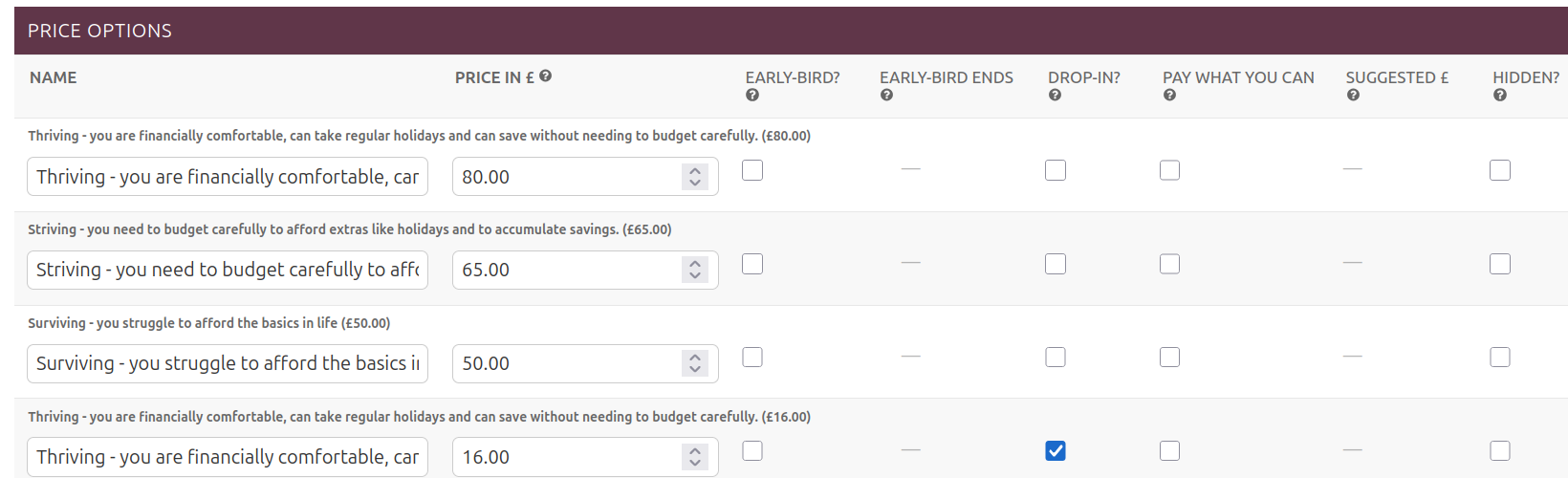
A place for a volunteer or a special arrangement
Add a price, tick Hidden?, and save. It never appears on the website. A Secret booking link box then appears at the top of that event — send that link privately and they'll see the hidden price alongside the normal ones and pay as usual.
Treat the link like a password: anyone who has it can book a hidden place. It only ever unlocks that one event. To retire it, untick Hidden? on those prices, or set them inactive.
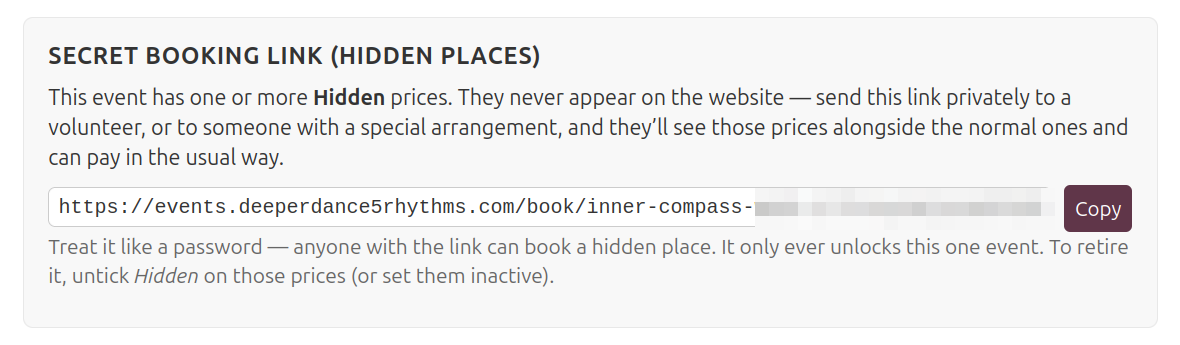
Removing a price
Tick Delete on that price's card and press Save. (The red Delete this whole event button at the bottom deletes the event itself.) A price someone has booked on can't be deleted; untick Active on it instead.
Rooms on a retreat
Rooms (and camping) have their own page: Retreat rooms.