☰ Contents Page 20 of 27 · Bookings & money
Taking payments: Stripe
From the organiser's Help guide. This is the page an organiser reads inside their own admin, exactly as they see it. On the demo you can read it but not open the admin behind it.
Your Site → Site Settings → Payments
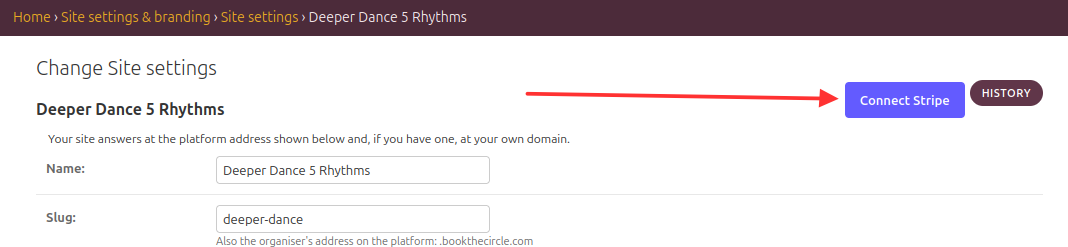
Card payments go into your own Stripe account; this site never holds your money. Connecting takes about ten minutes, once, on the Payments page of Site settings:
- Press Read and accept the agreement — the terms of service and the data-processing agreement — and tick to accept.
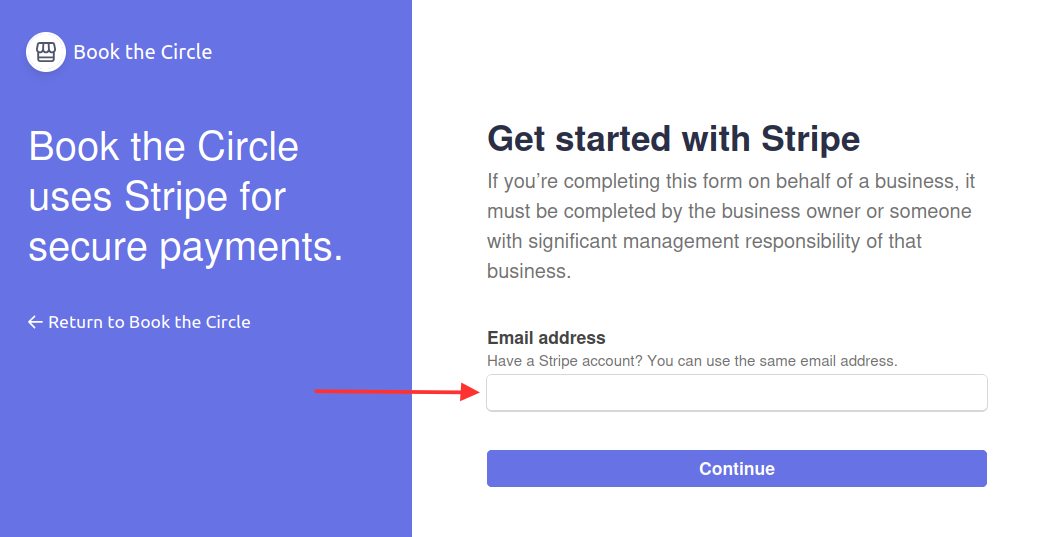
- Press Connect Stripe. On Stripe's page sign in to your Stripe account, or create one there with your email, your business details and your bank account.
- Back here the panel shows Connected. Let us know, and we switch your bookings over to charge your account.
The platform fee (% of each card payment) is taken by Stripe as the payment is made, and comes back in proportion when you refund. There's nothing to pay separately, and a statement email arrives on the 1st of each month (switch it off in Site Settings → Emails & alerts if you prefer). Stripe's own card fee is separate, as it would be anywhere.