☰ Contents Page 23 of 27 · Your site
Website pages
From the organiser's Help guide. This is the page an organiser reads inside their own admin, exactly as they see it. On the demo you can read it but not open the admin behind it.
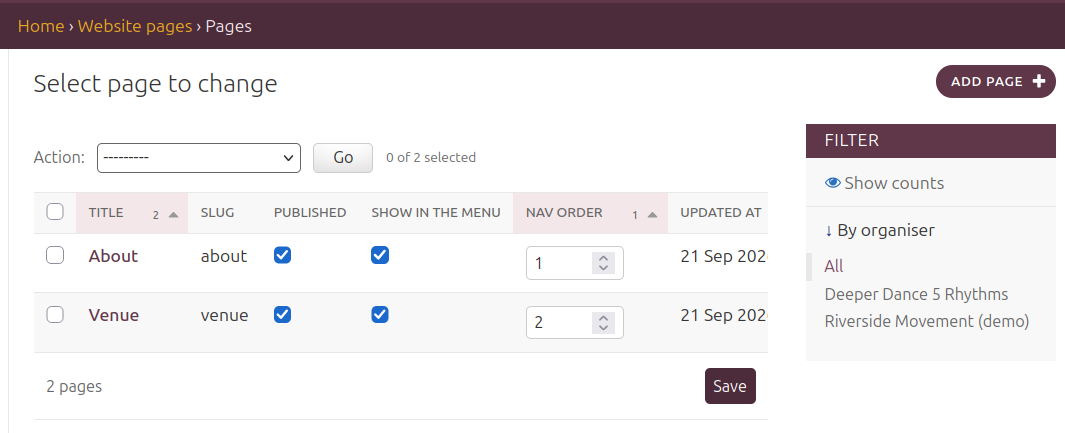
Your Site → Website Pages → Add page
About, Venue, What to expect — any page you like, written with the same editor as event descriptions, with an optional picture at the top. Tick Published and Show in the menu and it joins your site's menu; Nav order decides the order (lower numbers first). Untick Published to keep a draft. Addresses the site already uses (book, events, policies…) can't be taken.